
Ushers Management System Case Study



Ushers Management System is a digital platform designed to help event management companies organize, manage, and monitor ushers across different events and locations.
The system consists of three connected products: an Admin Panel, an Usher Mobile App, and a Team Lead Mobile App. Together, they create one seamless workflow starting from usher application and approval, to event assignment, attendance tracking, task management, and on-ground supervision.
The goal was to replace scattered manual operations with a centralized, reliable, and easy-to-use system that supports both office teams and field teams during live events.

Project Duration
6 Months




#4C6E5C
+35 Web Screens
+50 Mobile Screens
Ushers
Problem It Solves
Event staffing teams often depend on manual coordination through calls, spreadsheets, and messaging apps to manage ushers, team leads, attendance, and task assignments. This makes the process harder to control, especially during live events where timing, location, and clear communication are critical.
The Ushers Management System solves this by creating one connected platform where admins can manage applications, approve ushers, assign teams, track attendance, and monitor event operations, while ushers and team leads can access their schedules, locations, tasks, and updates in real time.
It helps reduce miscommunication, missed attendance, delayed task updates, and manual follow-ups, making event operations more organized, transparent, and easier to manage..


Understand how event staffing teams currently manage ushers, team leads, schedules, and attendance.
Identify the main pain points in manual coordination during event preparation and live event operations.
Explore how ushers apply, get approved, and choose the events they want to work in.
Understand what information ushers need before and during an event, such as time, location, team lead, and tasks.
Identify how team leads currently communicate tasks and updates to ushers during events.
Define the key actions admins need to manage applications, users, events, teams, and attendance efficiently.
Discover where communication gaps happen between admins, team leads, and ushers.
Research Objectives
Qualitative Research:
For Admin / Operations Team
How do you currently manage ushers and team leads before each event?
What tools do you usually use to track usher applications, approvals, and assignments?
What information do you need to see about each usher before approving or assigning them?
How do you currently track attendance, check-in, and check-out?
What problems usually happen during live events when managing large teams?
How do you communicate last-minute updates to team leads or ushers?
For Ushers/Team leads
What challenges do you face when checking event time, location, or instructions?
How do you currently confirm your attendance or working hours?
What kind of tasks do you usually receive during events?
How do you prefer to receive updates from your team lead?
What information would you like to see inside the app before arriving at the event?
What makes the working experience easier for you during busy events?
How do you currently manage ushers assigned to you during an event?
What information do you need to see about your team before the event starts?
How do you check who arrived, who is late, and who is absent?
How do you currently send tasks or instructions to ushers?
What challenges do you face when managing multiple ushers at the same time?
How do you follow up on task completion during the event?


Design Methodology
Design Thinking Process
Empathize


Prototype
After sketching on paper, I start building high fidelity screens
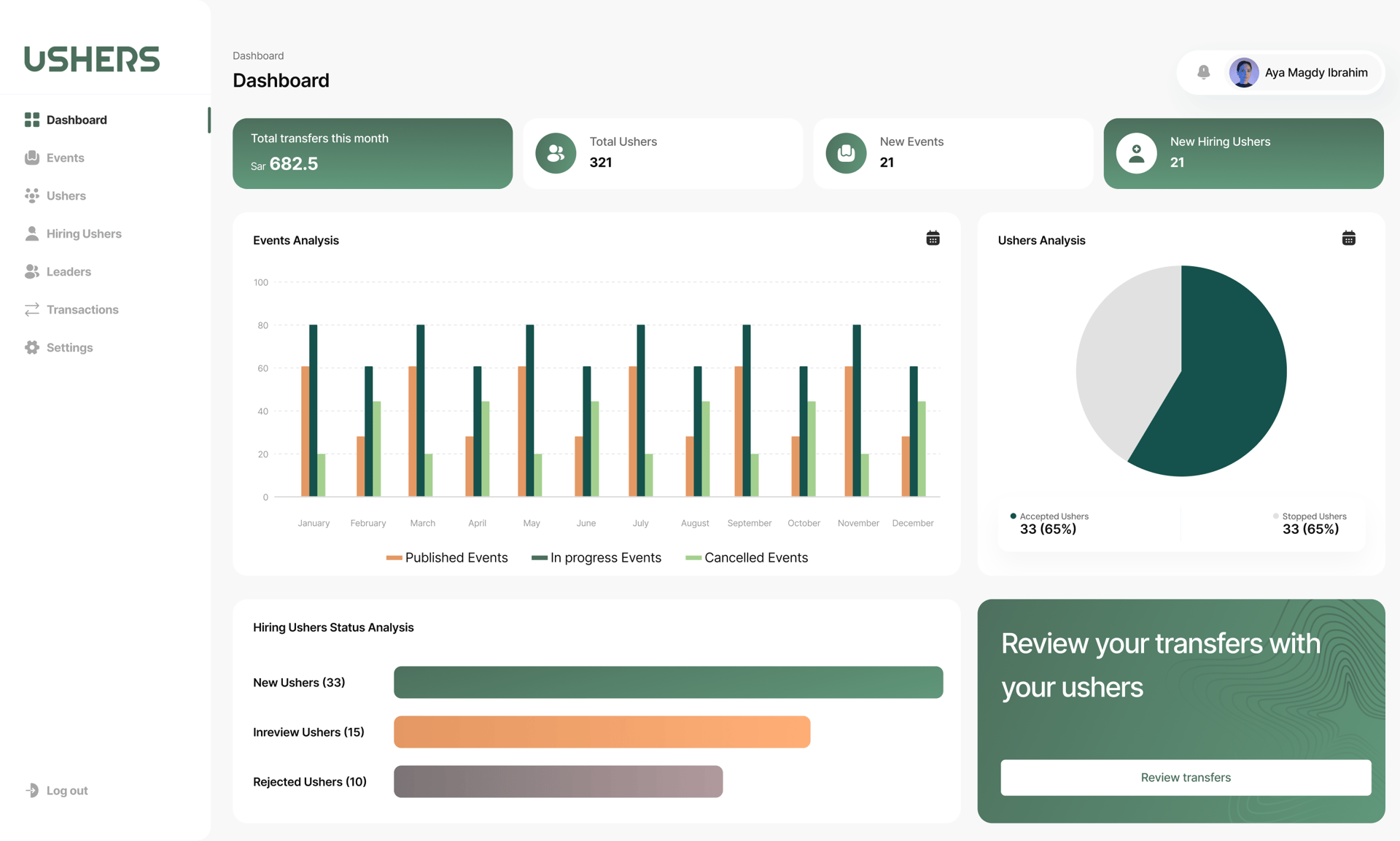
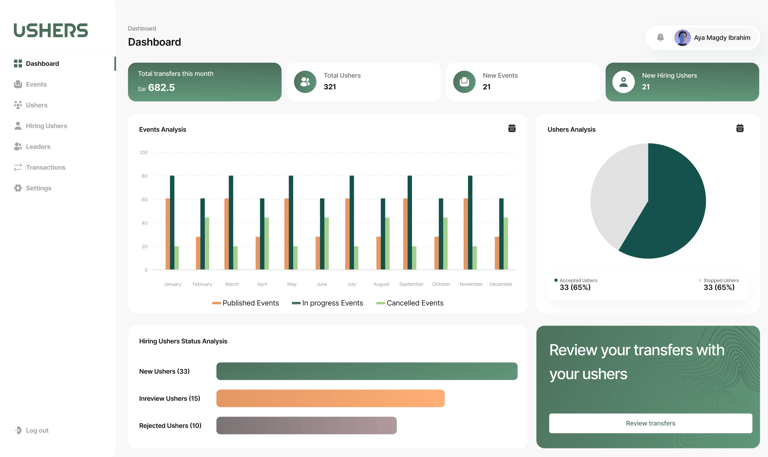
Admin Dashboard
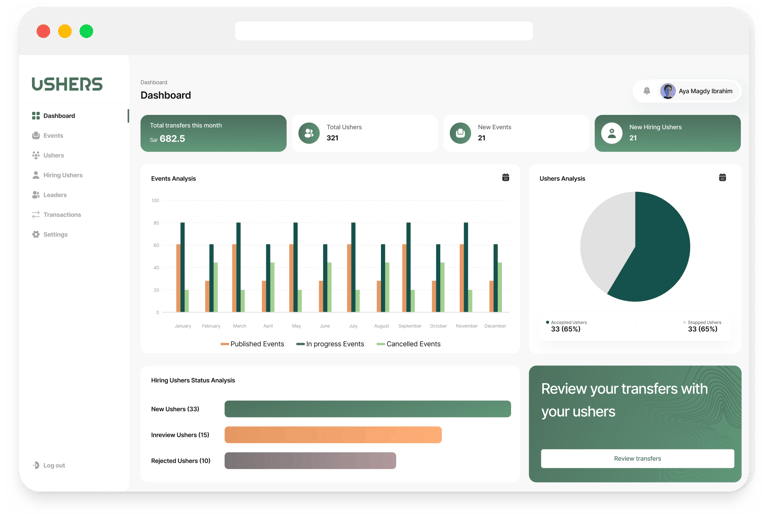
The Admin Dashboard gives the operations team a clear overview of the whole system from one place. It summarizes key information such as total ushers, new events, hiring requests, transfers, and overall event activity.
The screen helps the admin quickly monitor business performance, track usher status, review hiring progress, and follow up on event operations without moving between many pages. The charts and summary cards make the data easier to scan, while the side navigation keeps the main sections accessible for faster management.
Overall, this dashboard acts as a central control point that supports quicker decisions and more organized event management.
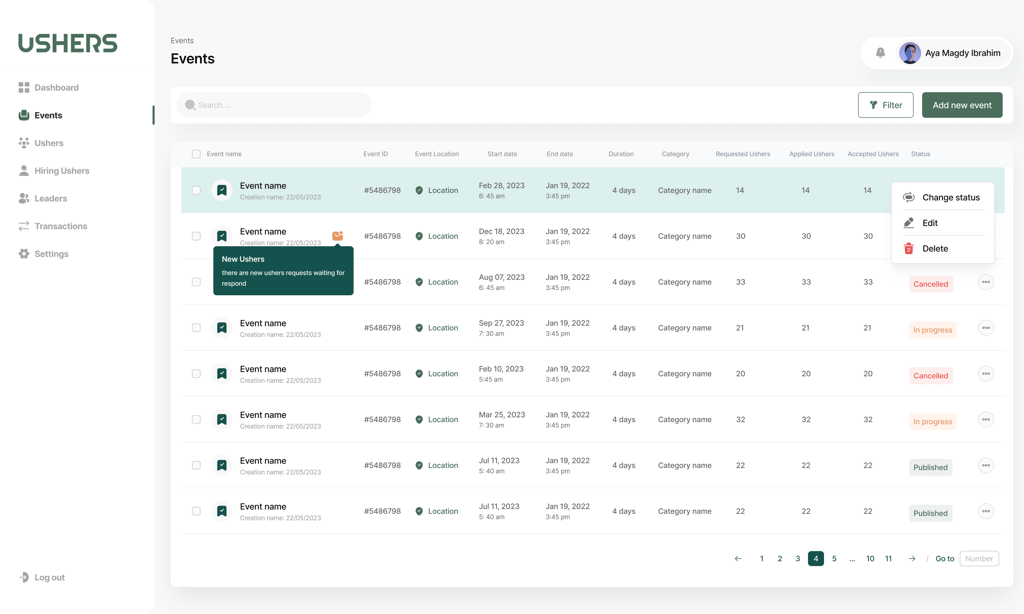
Events Management
This screen allows the admin to manage all events from one organized table. It gives a clear view of each event’s key details, including event name, location, start and end date, duration, category, requested ushers, applied ushers, accepted ushers, and current status.
The admin can easily search, filter, add a new event, and take quick actions such as editing, deleting, or changing the event status. Status labels like Published, In Progress, and Cancelled help the admin quickly understand the progress of each event.
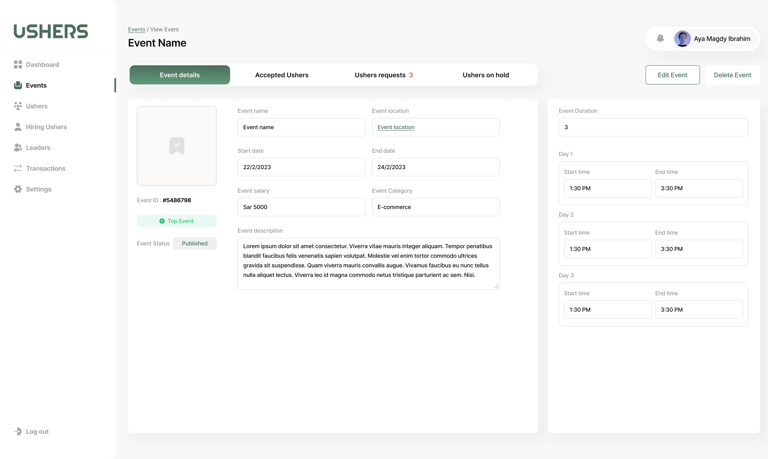
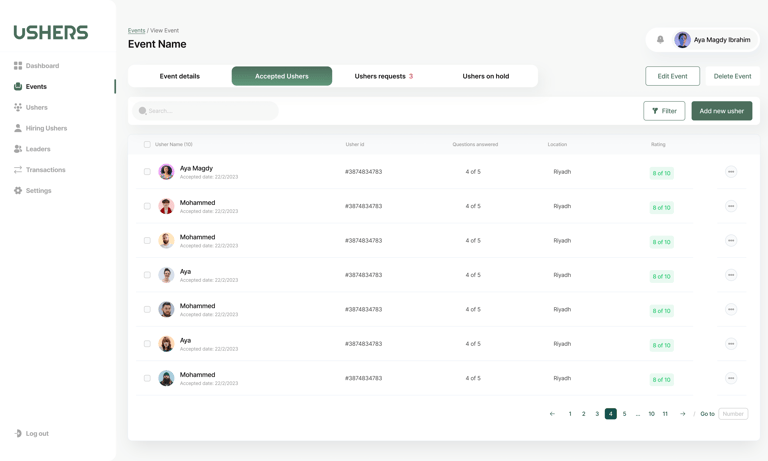
Events Details
The page is organized with clear tabs for Event Details, Accepted Ushers, Usher Requests, and Ushers on Hold, allowing the admin to quickly move between event information and staffing management.
Moving to Usher's App
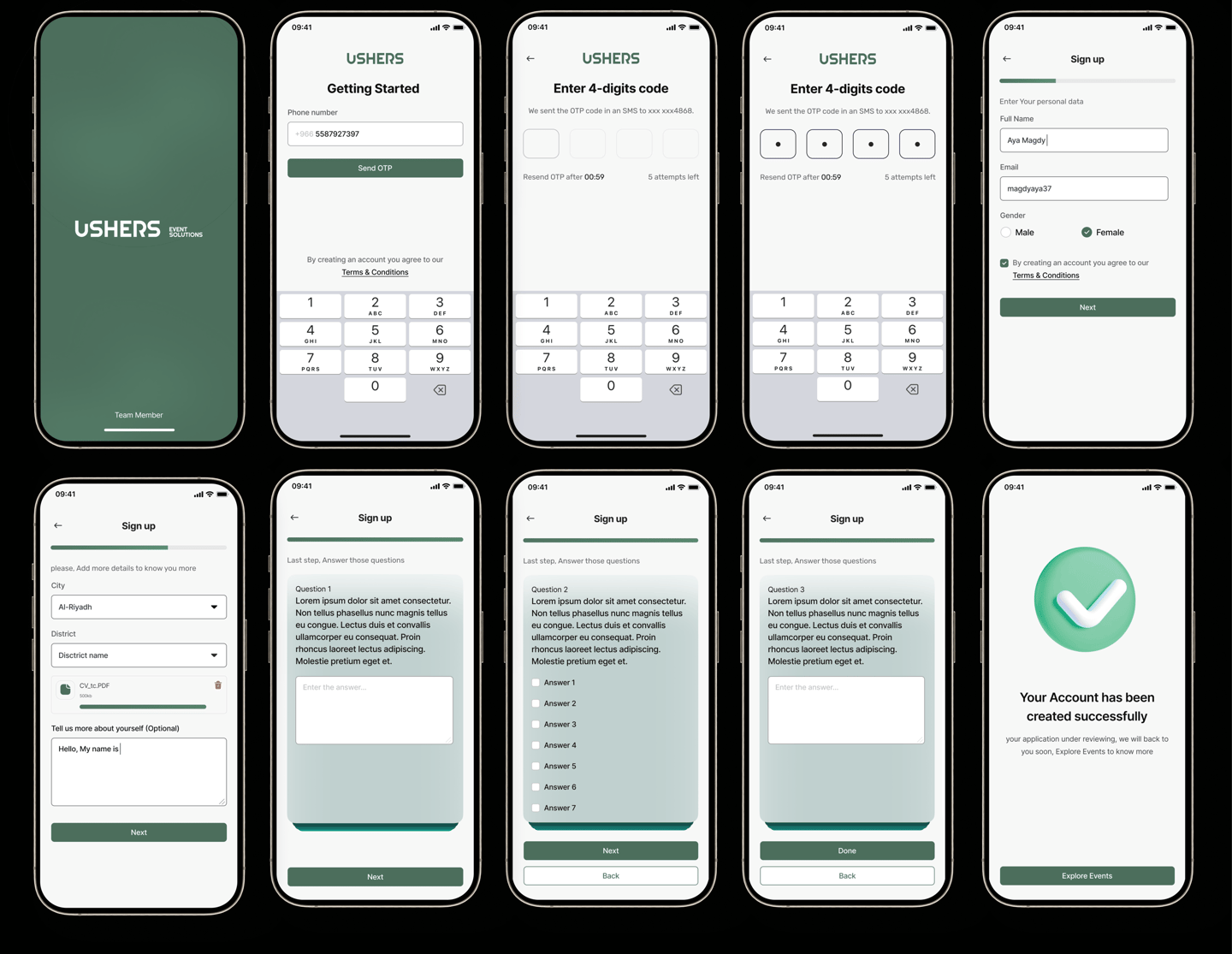
1- Registration flow
2- Home Screen
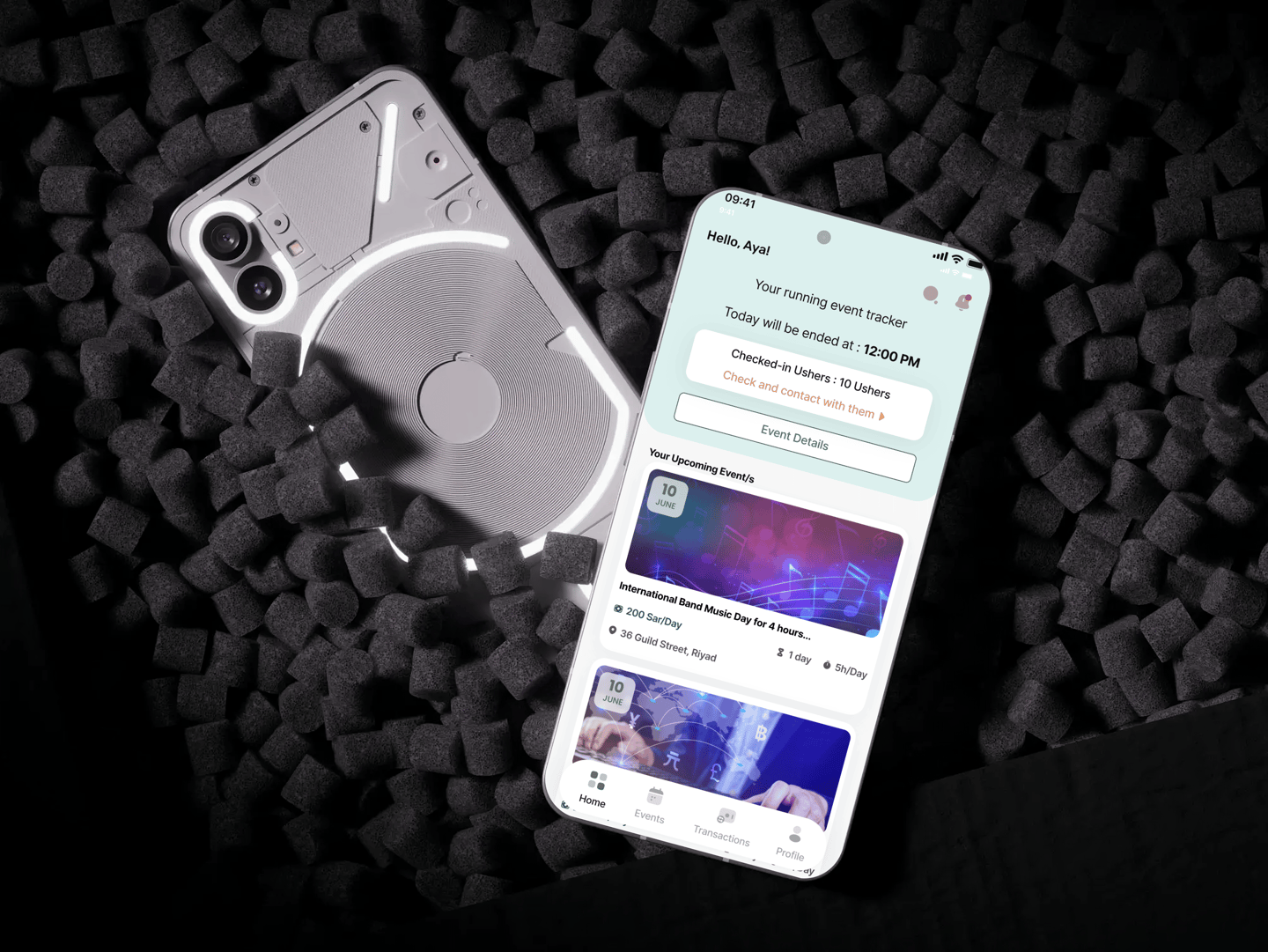
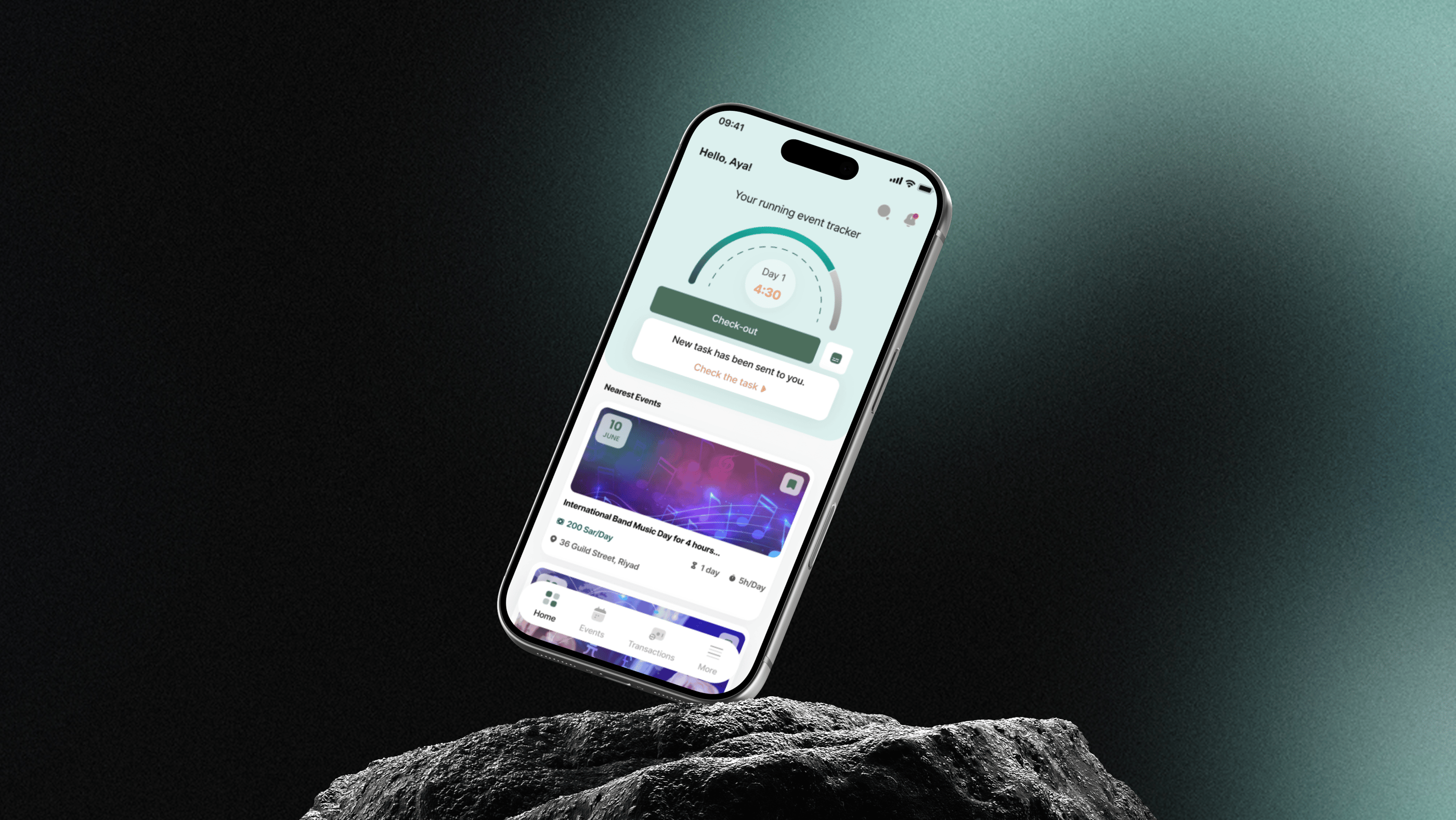
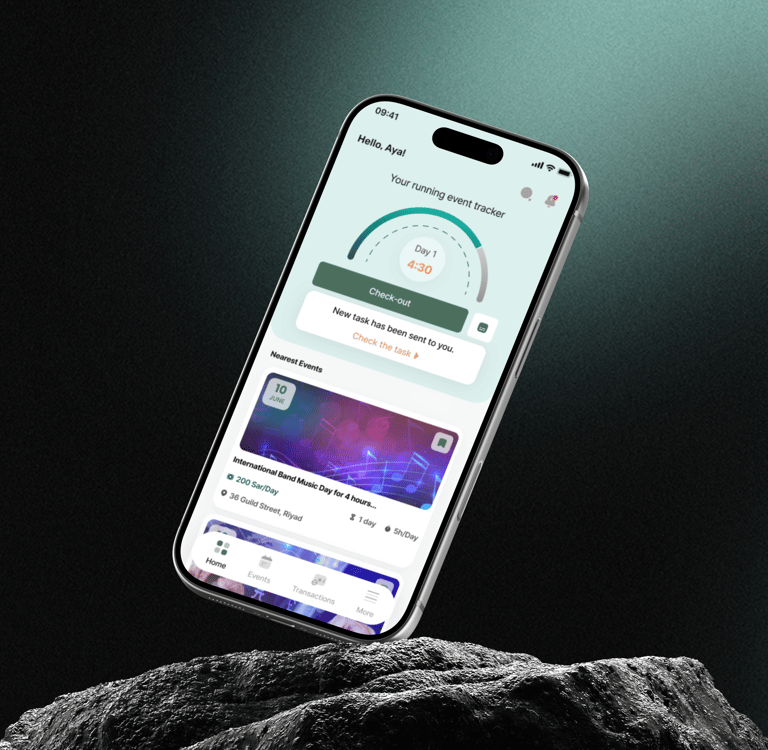
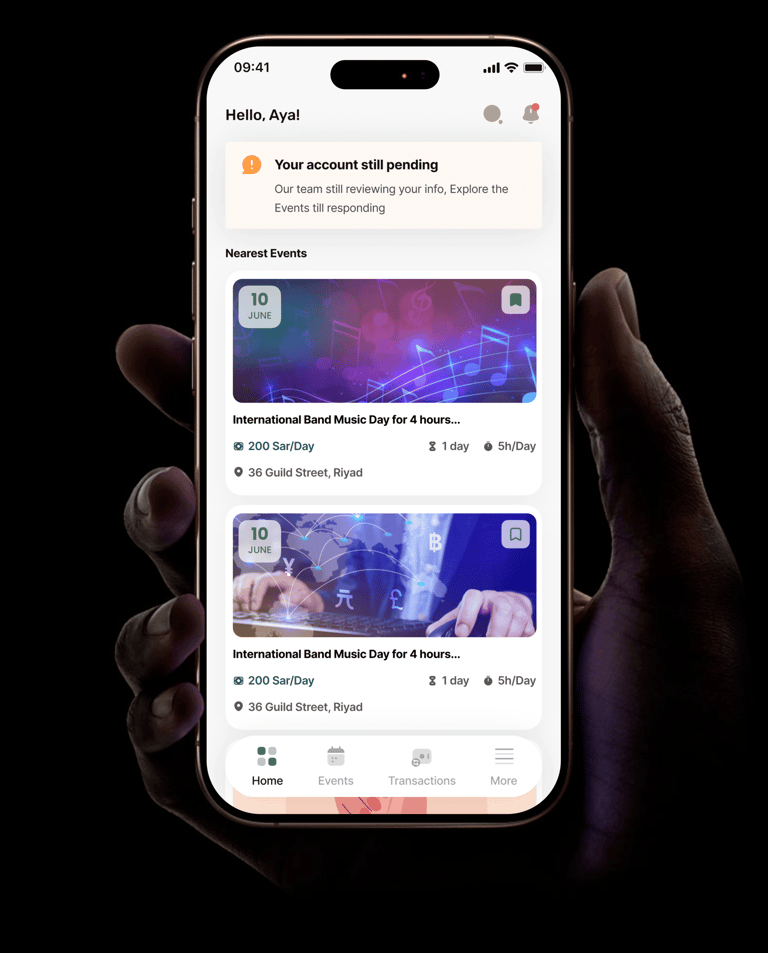
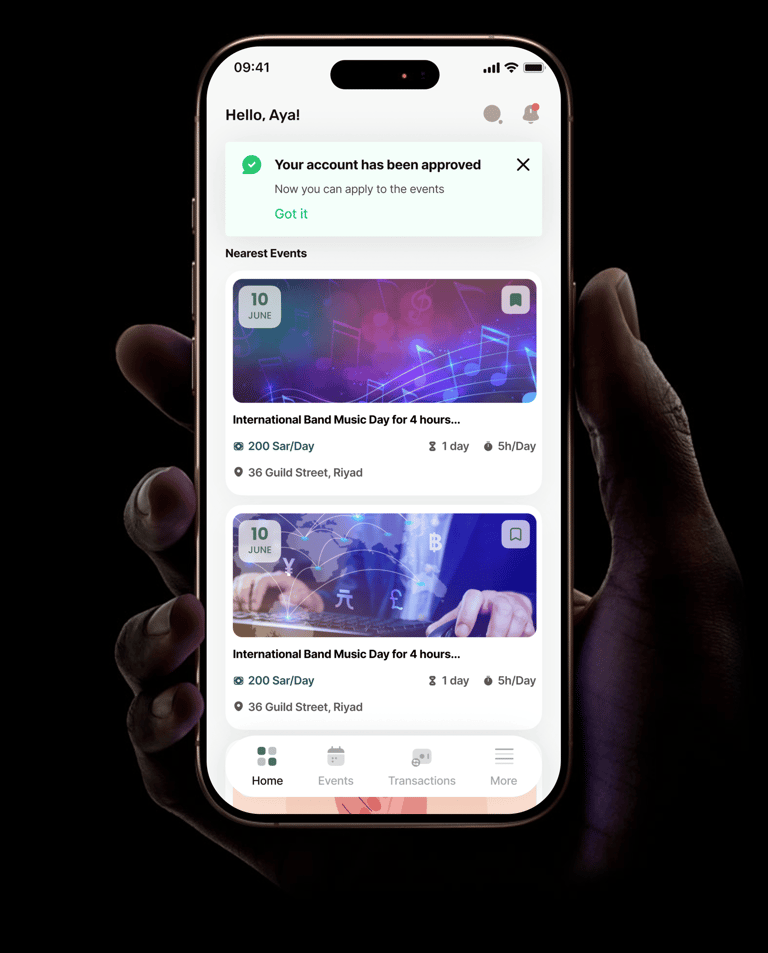
This screen is the main entry point for ushers, where they can quickly explore nearby events and stay updated on their account status. So it has 2 versions
3-Event Application Flow
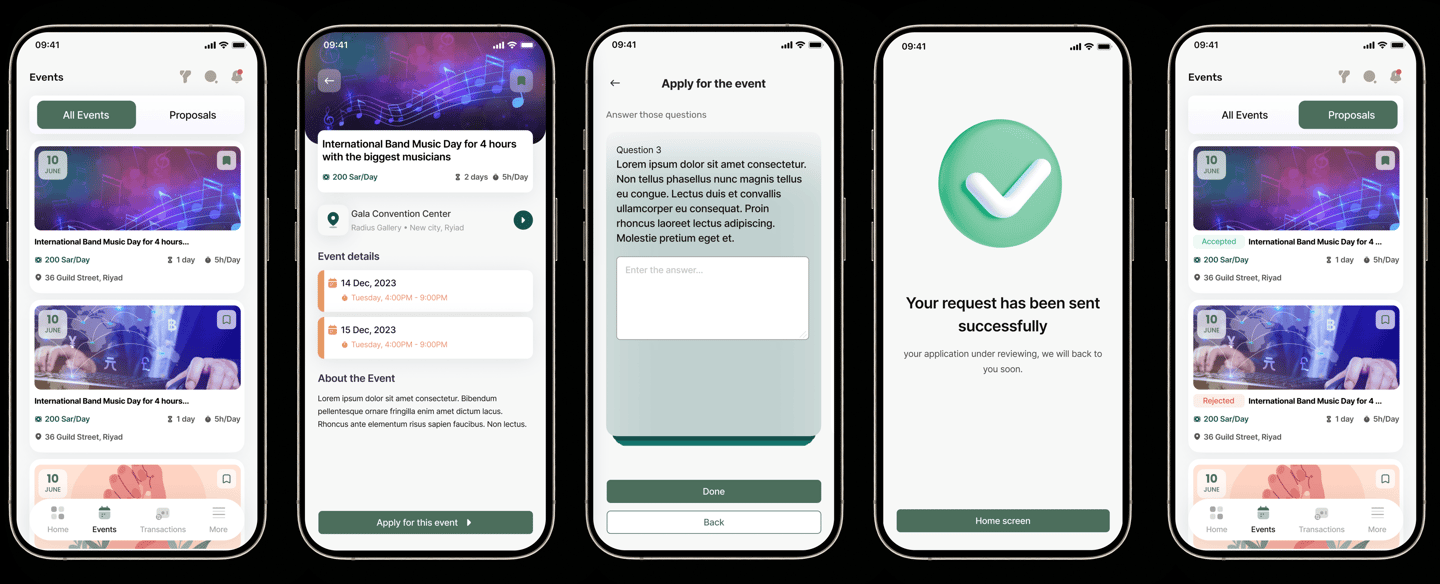
The journey starts from the Events list, where users can explore all available events or track their proposals. Each event card highlights key details like salary, duration, and location, helping users quickly decide.
When the user selects an event, they are taken to the Event Details screen, which provides more information such as full schedule, location, and description. From here, they can proceed to apply.
The Application step allows users to answer required questions before submitting their request. This ensures that admins receive the necessary information to review applicants properly.
After submission, a confirmation screen clearly informs the user that their request has been sent and is under review, giving feedback and reducing uncertainty.
Finally, users can track their application status (accepted or rejected) directly from the events screen.
4-Event Tracking & Activity Flow
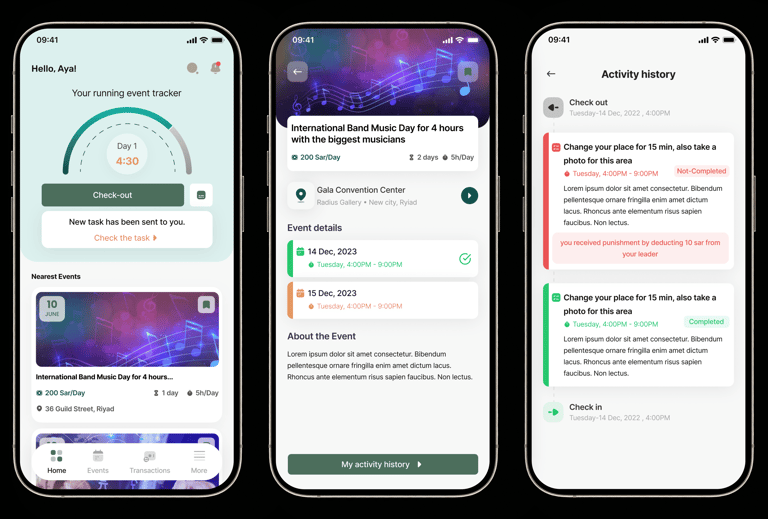
This flow focuses on the usher experience during an active event, helping them track their working hours, receive tasks, and review their activity.
Also notifies the usher when a new task is assigned, making updates visible and easy to access.
Inside the Event Details, the user can review the full schedule across event days, along with location and general information. A clear entry point to the activity history helps users track everything related to their participation.
The Activity History screen provides a timeline of actions, including check-in, check-out, and assigned tasks. It also shows task status (completed or not completed) and any related feedback or penalties, giving full transparency to the usher about their performance.
Moving to Leader's App
1- Team Lead Management Flow
2- Event Details
This screen gives the Team Lead a clear overview of a specific event and their assigned team. It highlights key information such as event name, salary, duration, and location, along with quick access to view team members.
The screen also shows the number of assigned ushers and provides an entry point to check team details, making it easy for the lead to understand team size and structure.
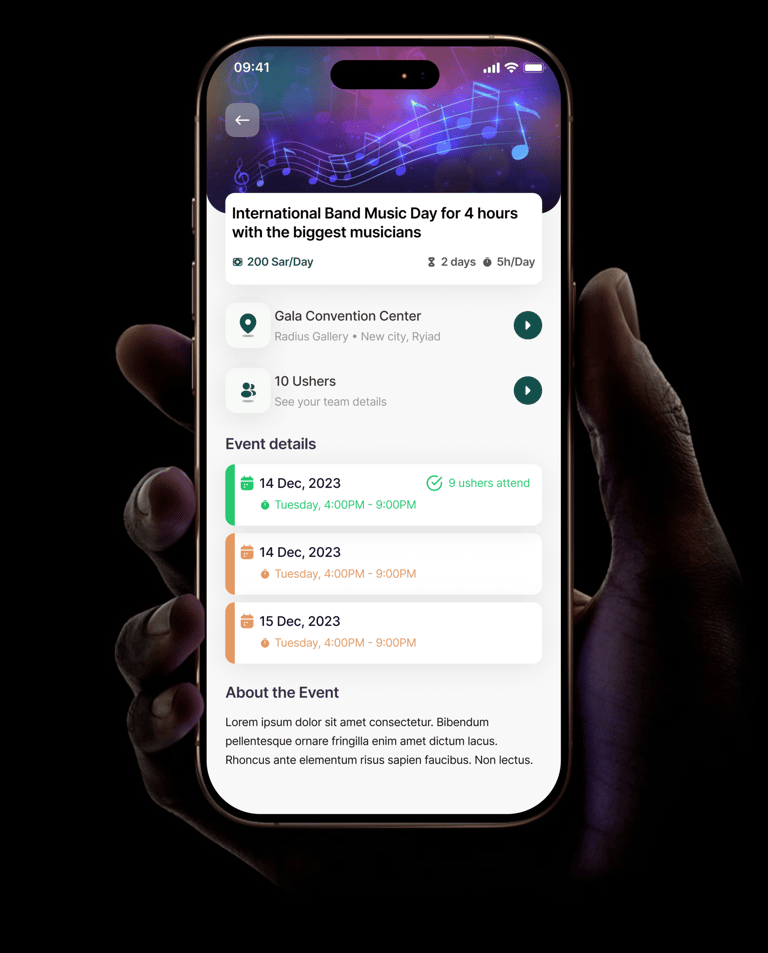
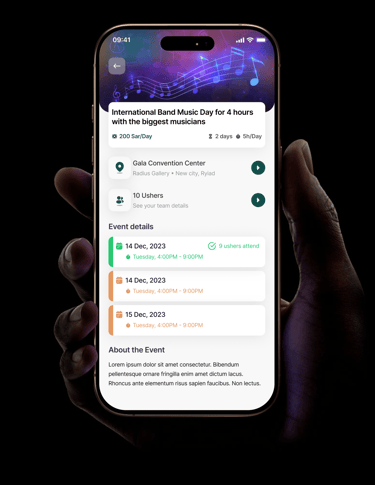
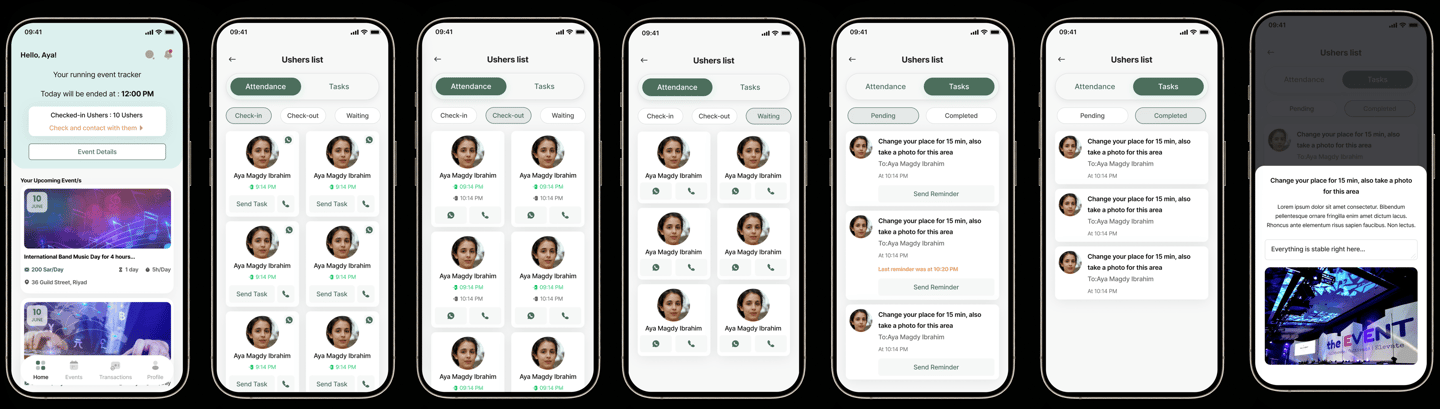
This flow focuses on how the Team Lead manages ushers during live events, ensuring smooth coordination, attendance tracking, and task assignment.
The journey starts from the Home screen, where the team lead can quickly see the ongoing event, number of assigned ushers, and access key actions like checking details or contacting the team.
Inside the Ushers List, the experience is divided into two main sections: Attendance and Tasks.


Have a project in mind?
I'm always interested in hearing about new projects and opportunities.